Google's Android-powered Laptops Are Called Googlebo…
Text settings
Story text
SmallStandardLargeStandardWideStandardOrange
* Subscribers only
Learn more
Google took its first swing at laptops with Chromebooks way back in 2011. These web-first laptops have seen success over the years, mostly in enterprise and education. Google insists Chromebooks aren’t going away, but the company’s focus has shifted to something new: Googlebooks. That’s what Google has decided to call the new line of Android-powered laptops, which will begin shipping later this year.
If you thought other Google products were steeped in Gemini, you haven’t seen anything yet.
Google says it designed Googlebooks from the ground up with Gemini Intelligence, and it all starts with the cursor. Google calls this the Magic Pointer. Just wiggle the cursor back and forth, and it will activate a full-screen Gemini experience. The AI will see what’s on your screen so it can make contextual suggestions and pull in data from multiple apps.
What can you do with that? Well, it’s all a bit vague. Google’s demos show how Magic Pointer can be used to select multiple images and instantly combine them with Nano Banana. Google also says you can use the cursor in AI mode to do things suggest a calendar appointment simply by pointing it at the date in an email. Magic Cue, which has been available on Pixel phones since last year, will also be part of Googlebooks. This feature can recommend actions and surface information based on context messages and emails.
All the things a Googlebook can do
There’s definitely a problem with discoverability in AI features, but it’s uncertain how many useful things generative AI can do with screen context. The best Microsoft could manage was Recall, and we all know how that went. So far, Google’s Magic Cue on phones hasn’t been a game changer—in fact, it rarely shows up at all. Can a laptop do any better?
Google’s AI-generated widgets from Android phones will also come over to Googlebooks. The widgets are more limited than you might expect, though. They can collect data from the web, as well as certain content from your Google apps, to create a “personalized dashboard” for your home screen. The format and style will be adapted to the laptop form factor.
Phone apps and not phone apps
Google seems to be avoiding an explicit mention of Android when discussing Googlebooks, but that’s the underlying software. That gives the devices access to a wide variety of apps—Google tried for years to shoehorn Android apps into Chrome OS with limited success, but it should be easier with laptops that run the apps natively.
These devices will have the Play Store, of course, but the rest of the software situation is hazy. Google is in the process of certifying third-party app stores for Android while also clamping down on sideloaded APKs, and we don’t know where Googlebooks will end up in the openness spectrum. Google has refused to comment on specifics right now, saying only that it will have more to regarding its “app ecosystem partners” closer to launch.
You might not have to install very many apps on a Googlebook, though. The platform will integrate deeply with your Android phone, allowing you to stream apps right to your laptop. A dedicated button in the taskbar lists all the apps on your phone. Click one, and it will appear on the Googlebook in a floating window. It’s similar if you need a file from your phone—Googlebooks can seamlessly transfer files from your phone when you need them.
Glowing up later this year
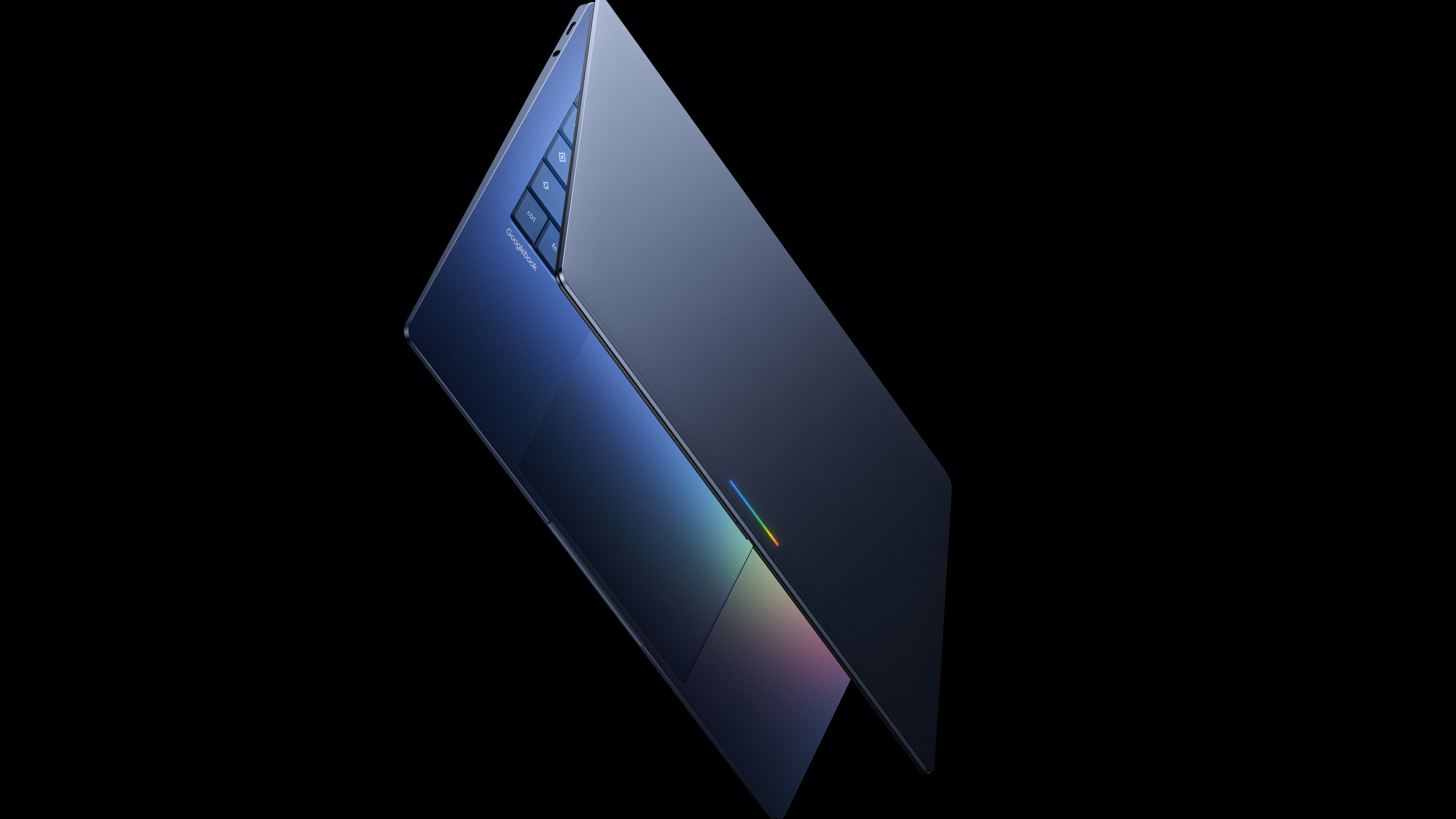
Google has not discussed any plans to build its own Googlebook. Instead, most of the OEMs that have been making Chromebooks will also offer Googlebooks when they launch, including Acer, Asus, Dell, HP, and Lenovo. You can expect devices with varying prices and hardware configurations, but you’ll know they’re Googlebooks from the Glowbar on the lid.
Credit: Google
Credit: Google
This illuminated design feature is reminiscent of the bar on some older Google devices the Pixel C tablet and Chromebook Pixel. On those devices, the light bar would indicate the battery level. Google says the bar on Googlebooks is both “functional and beautiful,” but it hasn’t explained the functionality yet. We’ve asked for details.
Ryan Whitwam Senior Technology Reporter
Ryan Whitwam is a senior technology reporter at Ars Technica, covering the ways Google, AI, and mobile technology continue to change the world. Over his 20-year career, he’s written for Android Police, ExtremeTech, Wirecutter, NY Times, and more. He has reviewed more phones than most people will ever own. You can him on Bluesky, where you will see photos of his dozens of mechanical keyboards.
Sumber Artikel:
Arstechnica.com